Since 2005, file.net has researched facts about Windows processes and files, analyzed user experiences, and examined files using its own analysis tools. Around 10,000 users rely on it every day.
Ss.exe file information
The process known as Read or Modify Bios settings belongs to software HP Bios Manager by HP (www.hp.com).
Description: Ss.exe is not essential for the Windows OS and causes relatively few problems. The file ss.exe is located in a subfolder of "C:\ProgramData" (mostly C:\ProgramData\RunDLL\).
Known file sizes on Windows 10/11/7 are 14,848 bytes (50% of all occurrences) or 3,904,553 bytes. 
The file is not a Windows system file. The program has no visible window. It is a file with no information about its developer.
Therefore the technical security rating is 73% dangerous, however you should also read the user reviews.
Recommended: Identify ss.exe related errors
- If ss.exe is located in a subfolder of C:\Windows, the security rating is 100% dangerous. The file size is 14,848 bytes. It is not a Windows system file. The file is located in the Windows folder, but it is not a Windows core file. The process listens for or sends data on open ports to a LAN or the Internet. The program is not visible. There is no description of the program. ss.exe appears to be a compressed file.
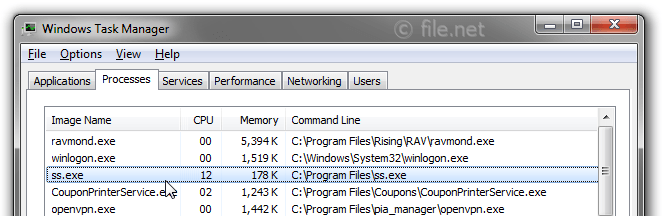
- If ss.exe is located in the "C:\Program Files" folder, the security rating is 64% dangerous. The file size is 539,648 bytes. The application starts when Windows starts (see Registry key: Run, MACHINE\Run). Ss.exe is not a Windows system file. The program has no visible window. There is no file information. Ss.exe is able to record keyboard and mouse inputs and connect to the Internet.
External information from Paul Collins:
- "OnlinePCfix SmoothSurfer" can run at start up. Smooth-Surfer - blocks banners, ads, popups, and cleans MRU and Recent file lists
Important: You should check the ss.exe process on your PC to see if it is a threat. We recommend Security Task Manager for verifying your computer's security. This was one of the Top Download Picks of The Washington Post and PC World.




Score
User Comments
Tim Zimmermann (further information)
D. Anderson
Summary: Average user rating of ss.exe: based on 2 votes with 2 user comments. One user thinks ss.exe is essential for Windows or an installed application. One user thinks it's neither essential nor dangerous.